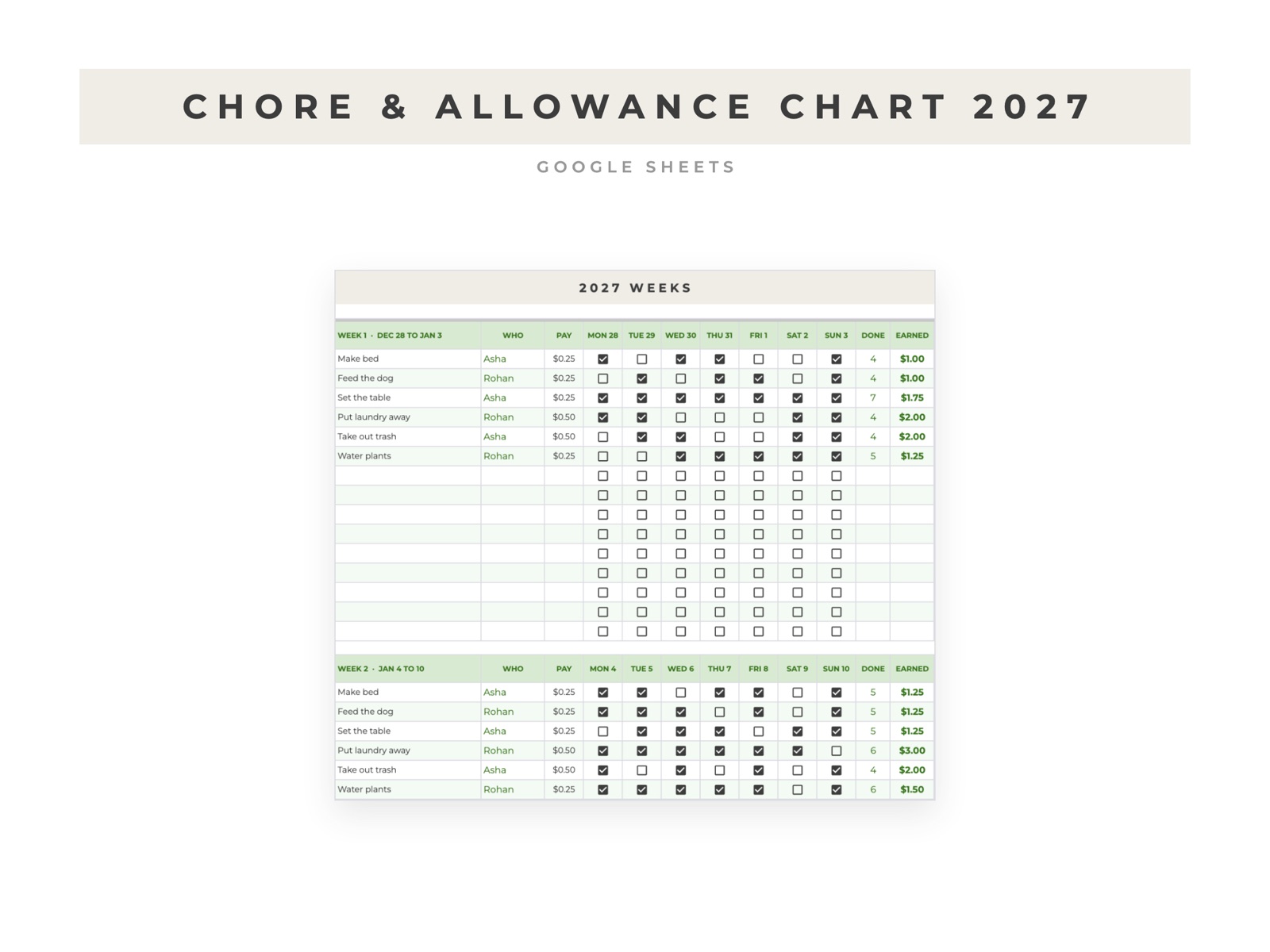
How to make a chore chart with allowance in Google Sheets
A chore chart in Google Sheets can live on the family iPad or a phone, and it can do the allowance math so nobody argues about it on Saturday.
List the chores
Make a tab with one row per chore, who does it, and what it pays each time it's done.
Make the week
On a second tab, put the chores down the side and the days of the week across the top. Select the grid and use Insert, then Checkbox.
Add up what each kid earned
If a chore's checkboxes for the week are in B3:H3 and what it pays is in J3:
=COUNTIF(B3:H3,TRUE)*J3
Add that up for each kid's chores to get the week's total. Keep a column next to it for what you actually paid, and the difference is what you still owe.
Start fresh each week
The simplest way is one block per week, stacked down the tab, so you keep the history. Highlight the current week with a conditional formatting rule, so it's the one everyone sees first.
If you'd rather not build it
The Chore Chart 2027 has a block for every week of the year, up to 15 chores and four kids, and an allowance tab that tracks what each kid earned, what you paid and what you still owe.