How to keep a reading log in Google Sheets
A reading log in Google Sheets is easy to keep on your phone and it does the counting for you.
Set up the columns
Put one book on each row:
- Title
- Author
- Genre
- Format (print, ebook, audiobook, library)
- Pages
- Date started
- Date finished
- Rating, 1 to 5
Add the numbers worth knowing
- Books finished:
=COUNT(G2:G) - Pages read:
=SUMIF(G2:G,"<>",E2:E) - Average rating:
=AVERAGE(H2:H) - Books finished in January 2027:
=COUNTIFS(G2:G,">="&DATE(2027,1,1),G2:G,"<"&DATE(2027,2,1))
Change the month in both DATE parts to count any other month.
Track a yearly goal
Type your goal in a cell, say J1, then show your progress with =COUNT(G2:G)/J1 formatted as a percent. For a bar, use =SPARKLINE(COUNT(G2:G),{"charttype","bar";"max",J1}).
Keep a to-be-read list
Add a TBR tab with the title, author and where you heard about it. When you start a book, move it to the main log.
For kids
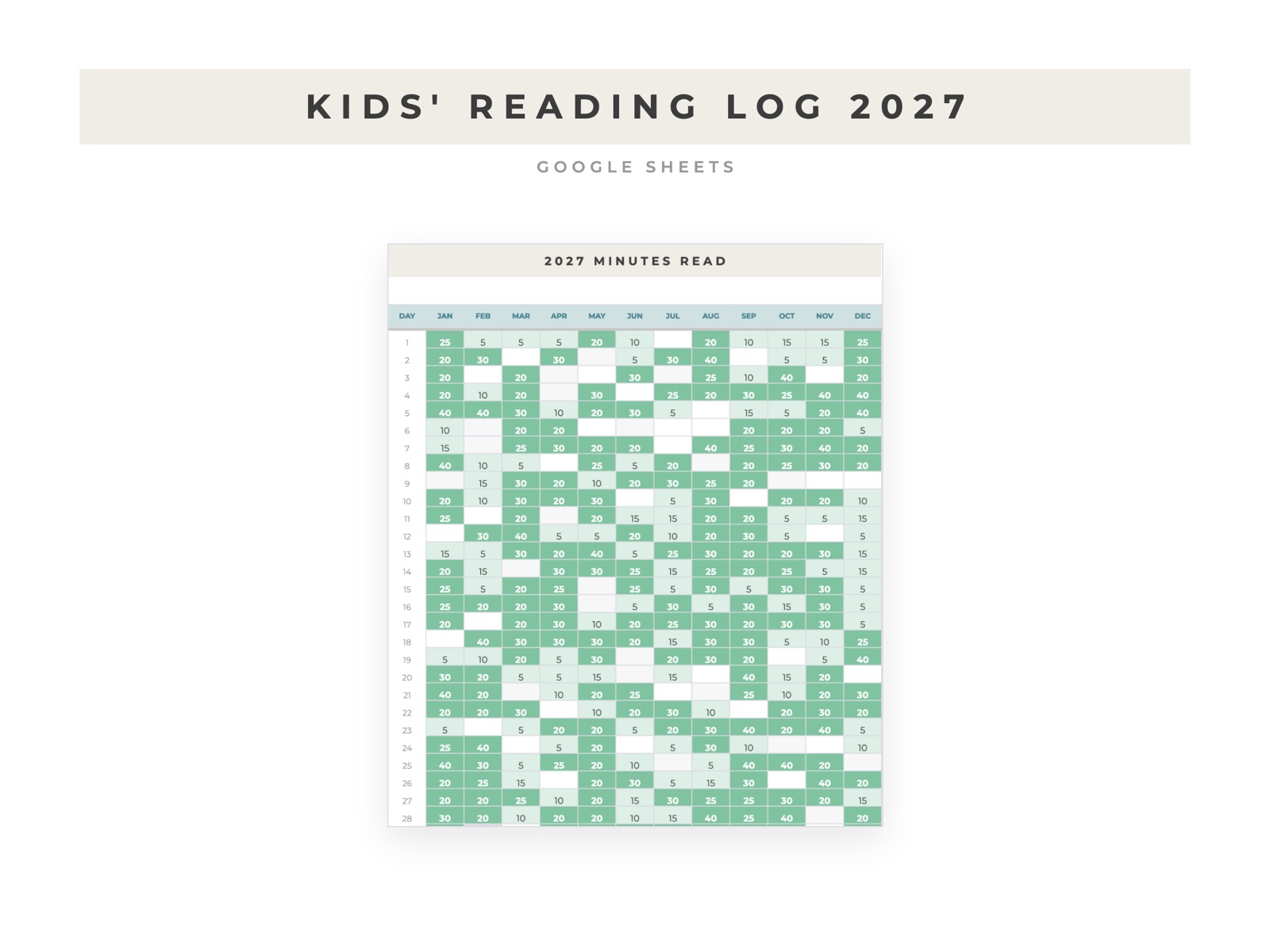
Young readers usually log minutes, not books. A simple calendar with one cell per day works well: type the minutes, and use conditional formatting to turn a day green when it meets the daily goal.
If you'd rather not build it
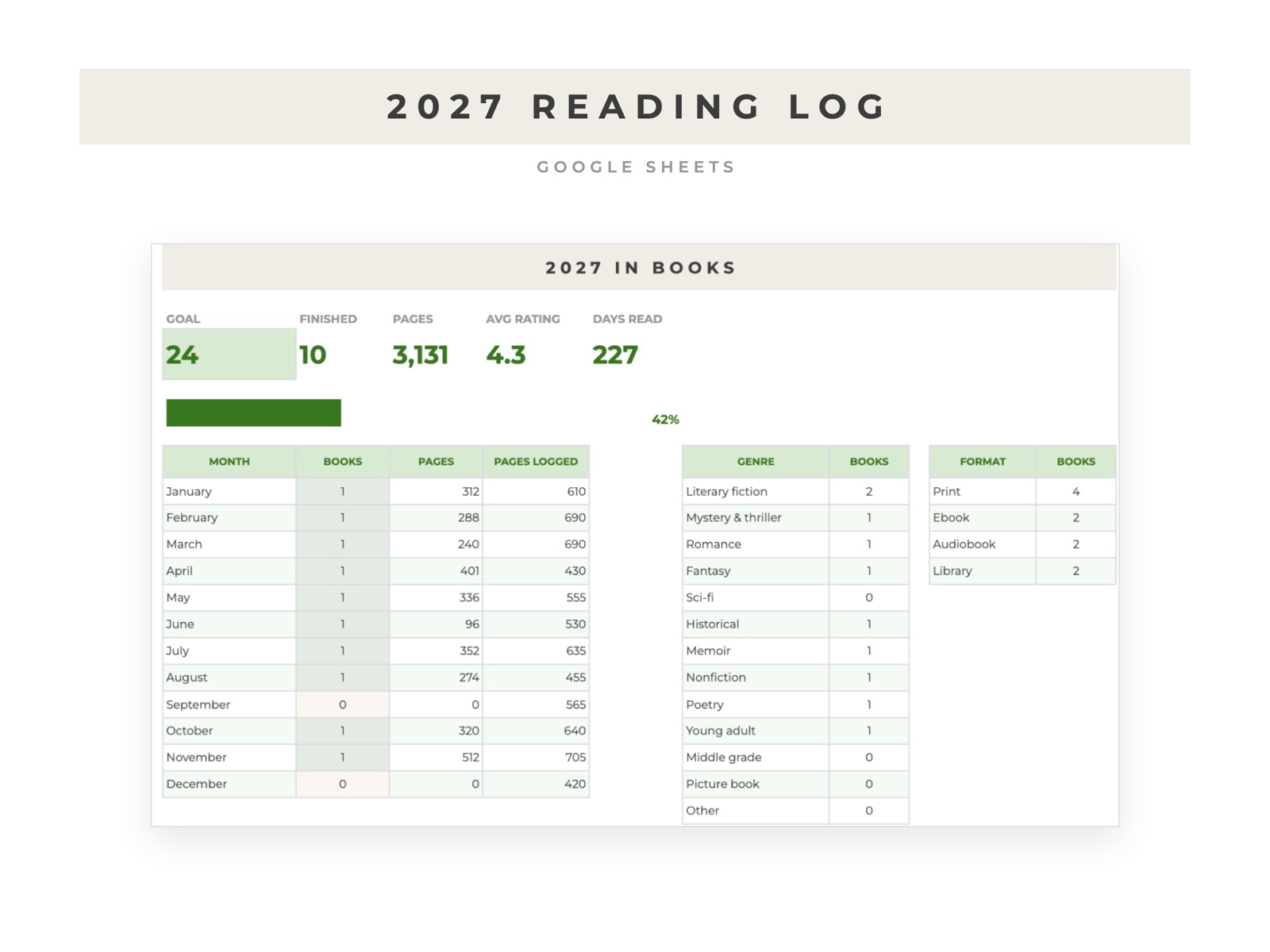
The 2027 Reading Log has a dashboard, charts by month, genre and format, and a calendar of the year that fills in as you read. The Kids Reading Log 2027 tracks daily minutes against a goal for one young reader.