How to track bills and subscriptions in Google Sheets
Most people can't say what they pay for subscriptions each month. A single sheet with every bill on it fixes that in an afternoon.
Set up the columns
Put one bill or subscription on each row:
- Name
- Amount
- How often (monthly, quarterly, yearly)
- Next due date
- Autopay, as a checkbox
- Keep, review or cancel
- Cancel by, for free trials
Get the monthly cost
Bills that renew once a year are the ones people forget. Add a column that turns every amount into a monthly figure:
=IF(C2="Yearly",B2/12,IF(C2="Quarterly",B2/3,B2))
Total that column for your real monthly cost, and multiply it by 12 for the year.
See what's coming up
On another tab, list everything due in the next two weeks, soonest first:
=SORT(FILTER(A2:D,D2:D>=TODAY(),D2:D<=TODAY()+14),4,TRUE)
To make late bills stand out, select the due date column, add a conditional formatting rule with the custom formula =AND(D2<>"",D2<TODAY()) and a red fill.
Review once a month
Go down the list and mark anything you haven't used as Review. Count them with =COUNTIF(F2:F,"Review") so the number sits where you'll see it.
If you'd rather not build it
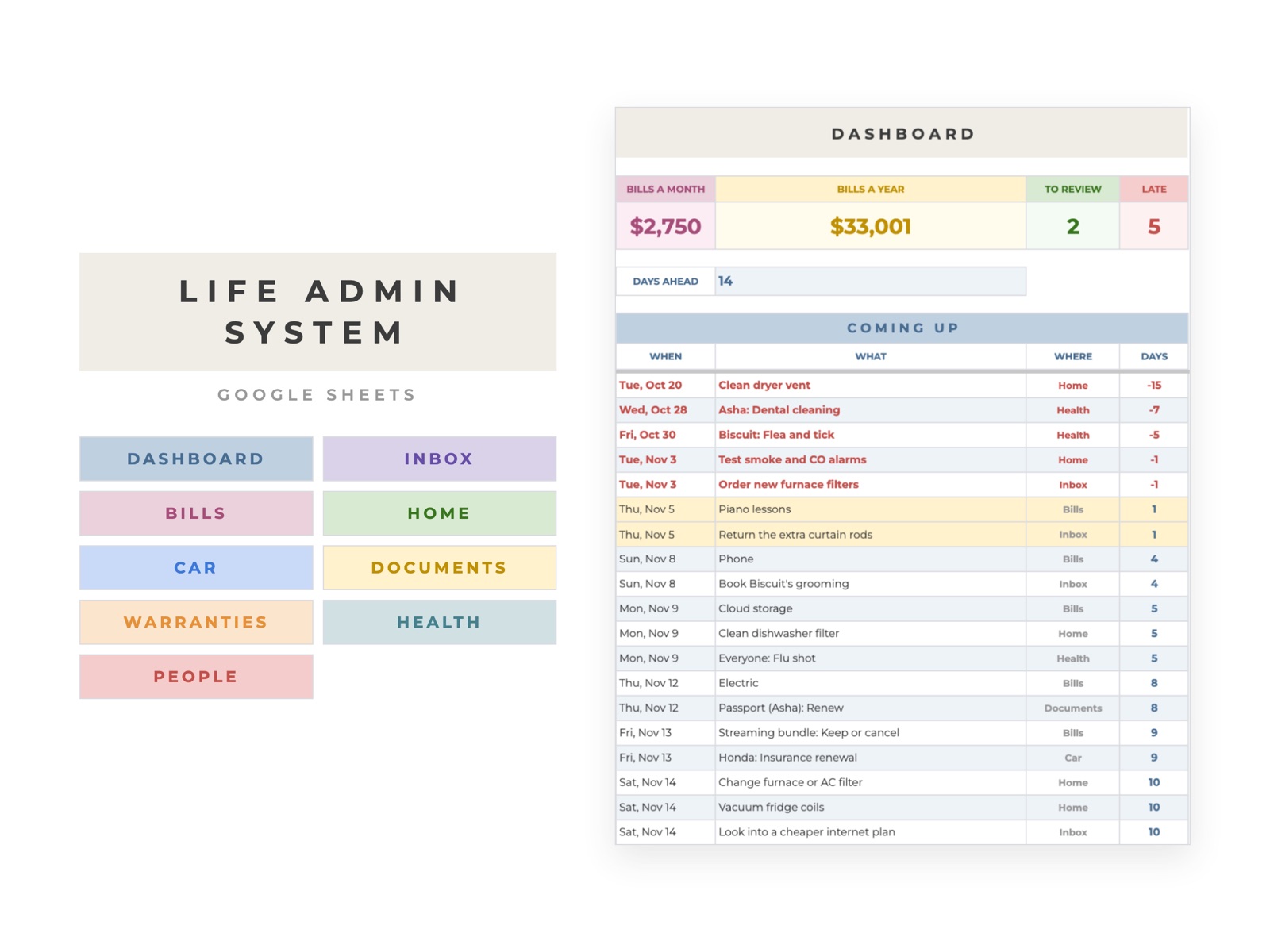
The Life Admin System does this for bills and subscriptions, and also covers home upkeep, the car, documents, warranties, checkups and the people you call when something breaks. Next due dates move forward on their own, and a dashboard lists everything due in the next two weeks.