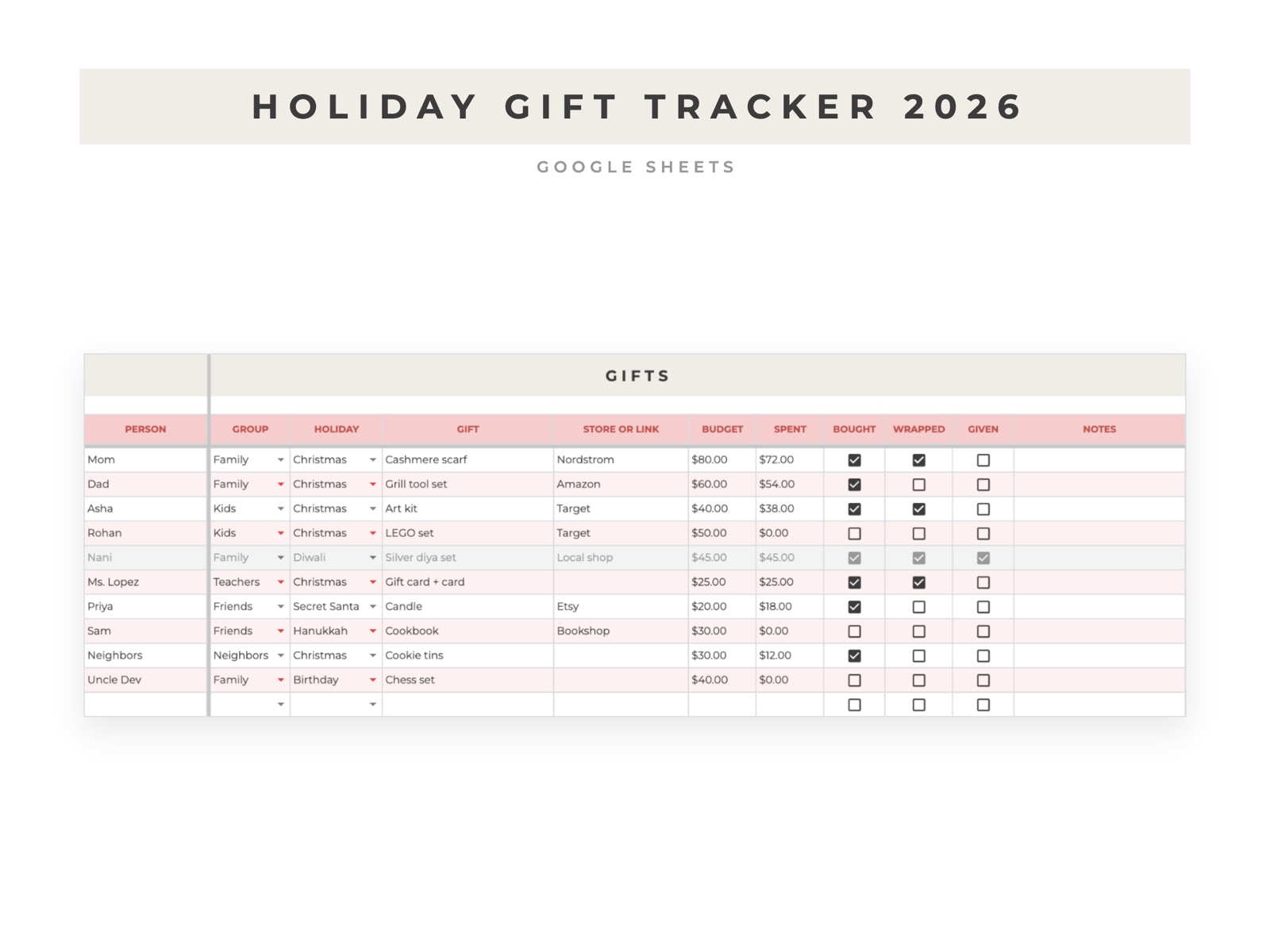
How to track holiday gifts and spending in Google Sheets
A gift list on paper tells you what to buy. A gift list in a spreadsheet also tells you how far over budget you are, which is the part most people find out in January.
Set up the columns
Put one gift on each row, with these columns:
- Person
- Holiday (Christmas, Hanukkah, Diwali, Eid, a birthday)
- Gift
- Budget
- Spent
- Bought, wrapped and given, as checkboxes
To add the checkboxes, select the three columns and use Insert, then Checkbox.
Add the totals
Put these formulas in a few empty cells off to the side:
- Total budget:
=SUM(D2:D) - Total spent:
=SUM(E2:E) - Left to spend:
=SUM(D2:D)-SUM(E2:E) - Spent on one person:
=SUMIF(A2:A,"Mom",E2:E)
Swap "Mom" for any name in your Person column. Use the same SUMIF with the Holiday column to see what each holiday costs.
Make overspending easy to spot
Select the Spent column, open Format, then Conditional formatting, choose "Custom formula is" and enter =E2>D2. Pick a red fill. Any gift that cost more than you planned turns red.
Keep a list of ideas
Add a second tab for gift ideas you hear about during the year, with the person and a link. When the season starts, move the ones you pick onto the main list.
If you'd rather not build it
The Holiday Gift Tracker 2026 has all of this set up, plus a summary by person and by holiday and the key dates for the season.